
Equipment Needed to Get on the Internet in the Home
Understanding the Basics: What Do You Need to Access the Internet at Home?
Getting online at home has become a necessity for work, entertainment, and staying connected. But before you can browse, stream, or video call, it’s important to know what home internet equipment you’ll need. The essentials for internet access are straightforward but vital, starting with a reliable broadband connection from an Internet Service Provider (ISP). Once you’ve chosen a suitable plan, your ISP will typically provide a modem and may also supply a wireless router.
The modem connects your home to the wider internet via telephone lines, fibre optics or cable. The router then broadcasts this connection wirelessly throughout your house so multiple devices, laptops, tablets, smart TVs, can get online simultaneously. Some modern devices combine both functions in one unit for convenience.
Setting up home internet is easier than ever: most ISPs offer step-by-step guides or technician support if needed. Simply connect your modem/router as instructed and configure your Wi-Fi network with a secure password. With these basics in place, you’ll enjoy seamless access to everything the web offers from the comfort of your own home.
The Modern Modem: Your Gateway to Connectivity
In today’s digital age, a reliable modem is the cornerstone of any connected home. But what is a modem, and why does it matter? Simply put, a modem (short for modulator-demodulator) is the device that links your household to the internet by translating data from your broadband connection into a language your devices can understand. This essential role makes choosing the best modem for home use more important than ever.
Many people confuse modems with routers, but their functions are distinct. A broadband modem connects directly to your internet service provider and handles communication between your home and the wider web. In contrast, a router takes that internet connection and distributes it wirelessly or via cables to multiple devices in your home. While some modern devices combine both functions, understanding ‘modem vs router’ helps you make informed decisions about upgrading or troubleshooting your network.
Selecting the right broadband modem ensures faster speeds, better reliability, and seamless streaming or working from home. Investing in an up-to-date model not only enhances connectivity but also future-proofs your household as technology evolves, making it truly your gateway to everything online.
The Role of Routers: Creating Your Home Wi-Fi Network
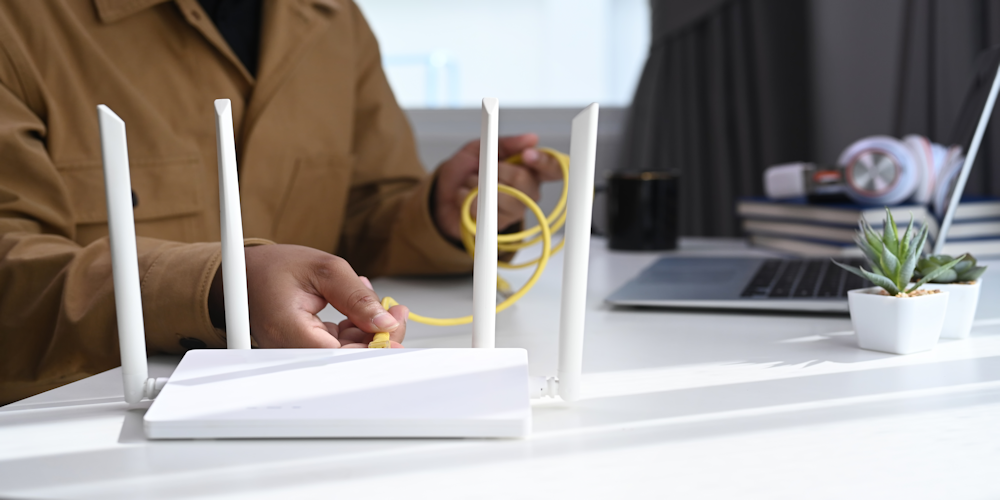
A reliable wifi router for home is the cornerstone of any modern household, ensuring seamless internet access for work, entertainment, and smart devices. Understanding wireless router setup is essential, whether you’re connecting a single laptop or building a robust smart home ecosystem.
When choosing a router, it’s important to have the different router types explained clearly. Traditional single-unit routers are suitable for smaller homes or flats, providing ample coverage in compact spaces. However, larger homes or properties with thick walls may benefit from mesh network systems. These innovative systems use multiple nodes placed throughout your home to eliminate dead zones and maintain strong signal strength everywhere.
Investing time in selecting the right wifi router for home and learning about wireless router setup can make all the difference in your online experience. Mesh network systems are particularly convincing options if you want consistent connectivity on every floor and in every corner of your house. By understanding these solutions and having various router types explained, you’ll be well-equipped to create a fast, reliable Wi-Fi network that meets all your family’s needs.
Cables and Connections: Ethernet and Beyond
When it comes to setting up a reliable home internet connection, the choice between wired and wireless solutions is crucial. Ethernet cable types, such as Cat5e, Cat6, and Cat7, offer distinct advantages over wireless connections in terms of speed, stability, and security. While Wi-Fi provides convenience and flexibility for mobile devices, network cables for home internet are still the gold standard when you need uninterrupted streaming, low-latency gaming, or seamless video conferencing.
Ethernet cables minimise interference and provide consistent performance that wireless networks can struggle to match in busy households or homes with thick walls. Moreover, choosing the right ethernet cable type ensures future-proofing your network; for instance, Cat6 cables support higher speeds suitable for today’s gigabit internet services. Ultimately, investing in quality network cables not only enhances your online experience but also guarantees peace of mind knowing your connection is as robust as possible.
Devices Required: Computers, Smartphones & Smart Gadgets
To truly unlock the benefits of the digital world, having the right internet-enabled devices at home is essential. Laptops and tablets provide flexible online access for work, study, or entertainment, allowing every member of your household to connect seamlessly. Smartphones offer instant connectivity on-the-go, ensuring you’re always just a tap away from information or loved ones.
Don’t overlook the value of a smart TV with an internet connection, streaming your favourite shows and films has never been easier or more interactive. Smart gadgets such as voice assistants and connected home devices can further enhance convenience, security, and efficiency in your daily routine. By investing in a diverse range of reliable devices, you ensure that everyone in your home can make the most of everything the internet has to offer.
Selecting an Internet Service Provider (ISP): Making the Right Choice for Your Needs
When it comes to choosing an ISP for your home, the options can seem overwhelming. With a range of broadband ISP options in the UK, it’s essential to understand what each service offers and how it matches your household’s requirements. The three main types you’ll encounter are fibre broadband, ADSL, and cable internet, each with its own advantages.
Fibre broadband is currently the gold standard for speed and reliability. If your area is covered by fibre infrastructure, you’ll benefit from faster downloads and smoother streaming, making it ideal for busy households or remote workers. In contrast, ADSL (Asymmetric Digital Subscriber Line) uses traditional copper phone lines. While often more affordable and widely available in rural areas, ADSL typically delivers slower speeds than fibre connections.
Cable internet sits somewhere between ADSL and fibre in terms of speed but may not be as widely available outside major cities. When evaluating these broadband ISP options in the UK, consider not only speed but also factors like contract flexibility, customer service reputation, and any data limits that might affect heavy users.
Ultimately, making an informed choice means balancing cost with performance. By comparing what each type of connection offers, and matching those features to your daily usage, you can ensure you select an ISP that truly meets your needs now and into the future.
Troubleshooting Tips: Solving Common Home Internet Problems Quickly
When your home WiFi stops working or internet speeds crawl to a halt, it can disrupt everything from remote work to streaming your favourite shows. Fortunately, there are practical steps you can take before calling in the professionals. First, if you’re facing home wifi not working solutions, start by rebooting your router and modem, often a simple restart resolves many connectivity issues in UK homes. Check that all cables are firmly connected and inspect for damage.
If you’re focused on fixing slow internet speeds at home, run a speed test to pinpoint whether the issue is with your connection or specific devices. Try relocating your router to a more central location and away from thick walls or electronic interference. For persistent problems, updating firmware on your router or switching to less congested WiFi channels can make a noticeable difference.
Finally, when troubleshooting connectivity issues UK homes commonly face, disconnect devices that aren’t in use and consider setting up guest networks for visitors. If all else fails, contacting your internet service provider might reveal outages or line faults affecting your area. By following these troubleshooting tips, you can restore reliable internet access quickly and keep disruptions at bay.
Get Connected Today with the Right Equipment and Enjoy Reliable Home Internet Access!
Having the right equipment is essential for enjoying seamless and reliable home internet access. Whether you’re working from home, streaming your favourite shows, or staying in touch with loved ones, a stable connection makes all the difference. Don’t let outdated routers or poor-quality hardware hold you back, investing in modern equipment ensures faster speeds and fewer interruptions.
Get connected today with the right tools and experience the benefits of dependable internet every day. Your digital life deserves nothing less than the best connectivity available!